Install surveillance cameras yourself – IP camera network explained simply
IP cameras are now an integral part of modern video surveillance in the home network. In this article, I will show you how to set up an IP camera system yourself, what role the router, switch, PoE, WLAN and NVR play and how different camera types can be combined in a shared network.
I explain the technical basics, address typical practical questions and use real examples to show how a stable, secure and scalable IP surveillance solution can be implemented step by step – from planning and installation to storing the video recordings.
At a glance – what you can expect in this blog post
- The basics of IP cameras and their integration into the home network
- Setting up a stable IP camera network with router, switch and NVR
- Differences between PoE, WLAN and battery-powered cameras and their areas of application
- How video surveillance, video streams and recording work
- Influence of resolution, data rate and bandwidth on image quality
- Comparison of different storage solutions (SD card, NVR, home hub, NAS)
- Practical examples of cabling and WLAN coverage
- Tips on security, redundancy and failure protection
- Step-by-step checklist for planning, installation and commissioning
Central components of an IP camera system in the home network
A well thought-out video surveillance system consists of several modular components that take on clearly defined tasks within the network. The advantage of this approach is that individual components can be expanded, replaced or added to independently of each other without having to rebuild the entire system at home.
Router – central control of the network
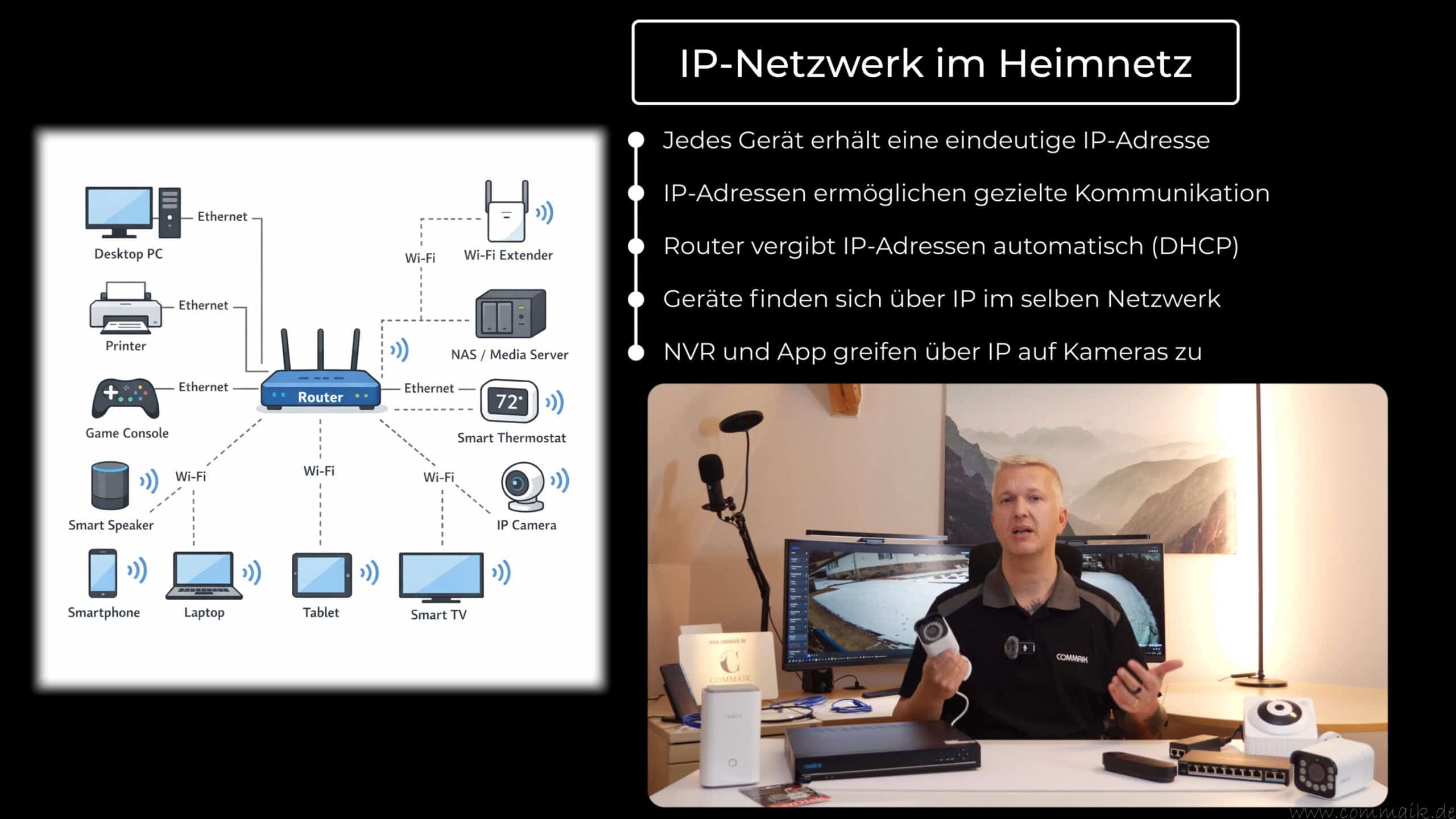
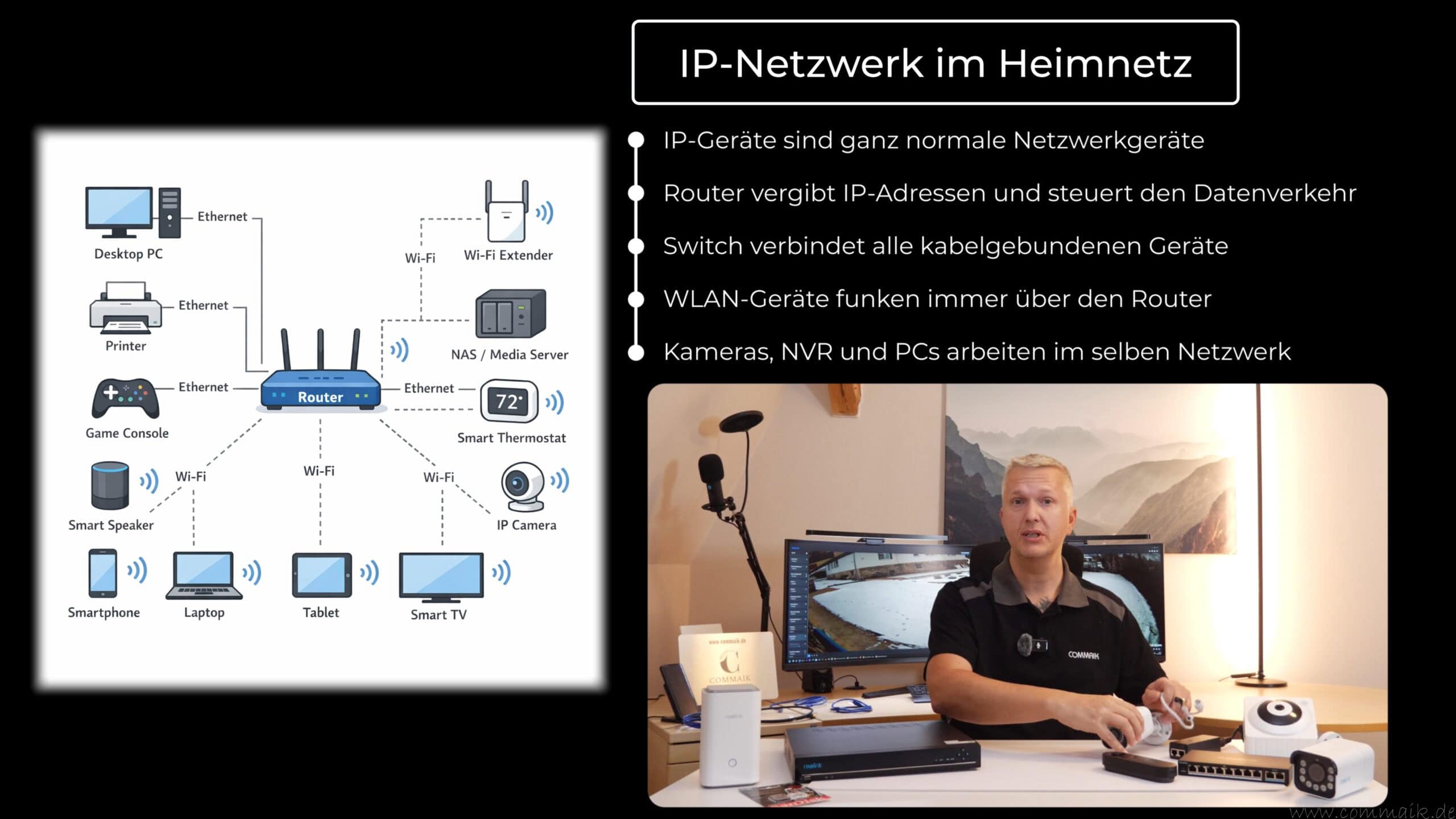
The router is the heart of the home network. It connects the local network to the Internet, assigns IP addresses and controls all data traffic between the connected devices. Every camera, every PC and every mobile device is given a unique address via which communication takes place. Access to video streams from outside the home network is also usually organized via the router.
In the context of video surveillance, the router ensures that cameras, recorders and end devices can communicate with each other. In technical terms, an IP camera is no different from other network devices such as a smart TV, tablet or smartphone, which are also permanently integrated into the network.
Switch – distribution and structuring of connections
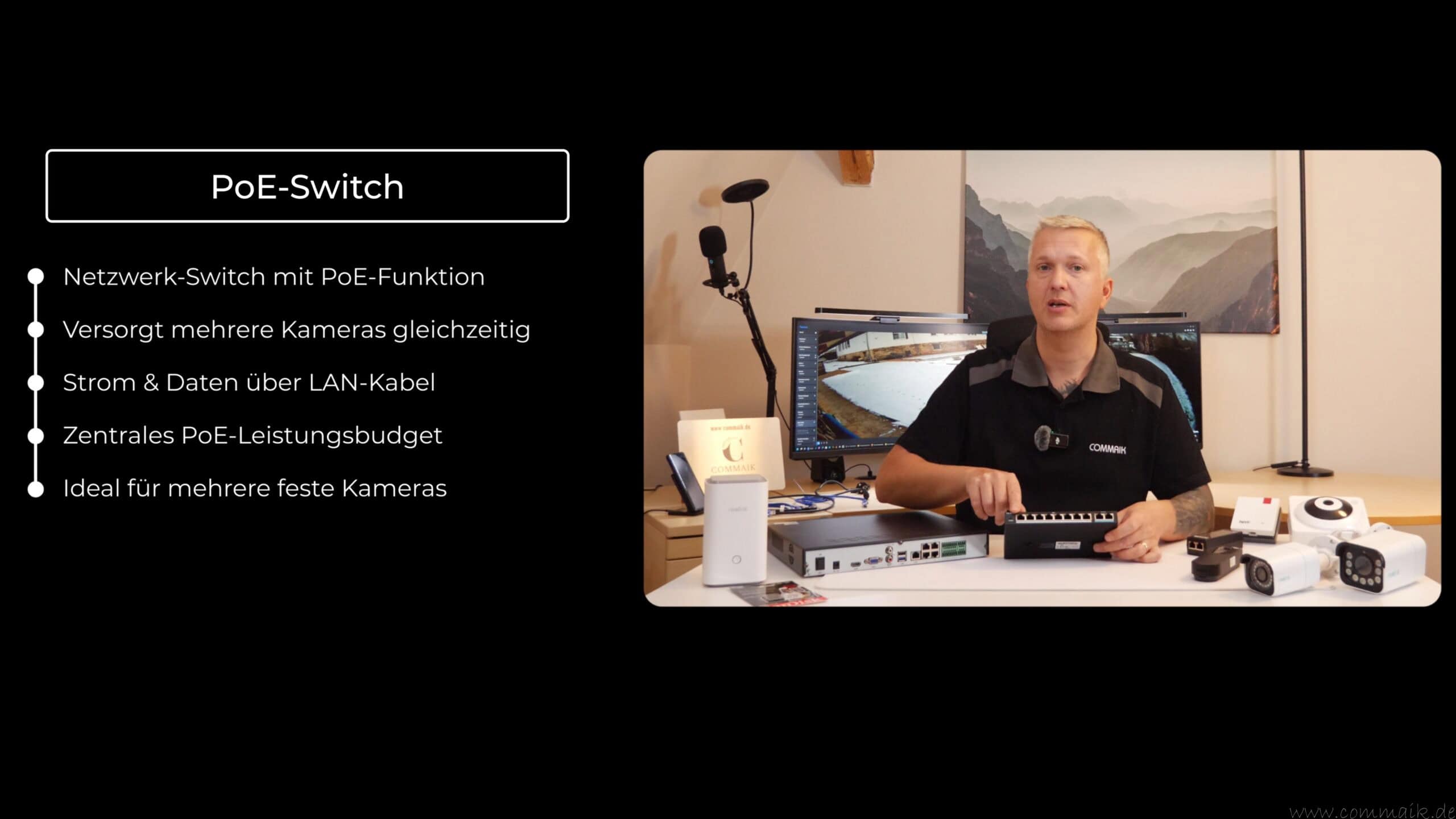
A switch expands the number of available network connections and distributes the wired connections in the home network. With several cameras, an NVR and other end devices in particular, a switch is essential to ensure stable and structured cabling.
With a PoE switch, there is also the power supply via the network cable. This means that PoE cameras can be supplied with power directly via the switch without having to use separate power supply units. This simplifies installation and ensures a tidy infrastructure.
Cameras – data acquisition in the network
The cameras handle the actual data acquisition. Depending on the design, image data is transmitted to the network either by cable or wirelessly. PoE cameras receive data and power via a single cable, WLAN cameras send the video stream wirelessly and are supplied with power separately, while battery-powered cameras work completely wirelessly and only become active when required.
Regardless of the camera type, all models are fully-fledged network devices. They send their video data to a memory or to end devices on which the stream is retrieved. The camera is therefore an active participant in the network, comparable to an IP video camera in a video conference or a streaming source in the home network.
Storage – central or local recording
The memory is responsible for the long-term backup of the video recordings. This can be done locally via an SD card in the camera or centrally via an NVR, a Home Hub, Home Hub Pro or a NAS. Central storage systems enable uniform administration, larger storage capacities and additional security mechanisms such as redundancy or user rights.
By separating the camera and memory, data can be better protected as it is not located directly at the recording location. This increases security against data loss in the event of tampering or theft, particularly in the case of permanently installed outdoor cameras.
Optional network components and extensions
Supplementary devices such as PoE injectors are used if individual cameras are to be supplied with power without using a PoE switch. Repeaters or access points extend the WLAN coverage and ensure that wireless cameras can also work reliably in remote areas. A UPS (uninterruptible power supply) increases reliability by continuing to supply power to the router, switch and recorder in the event of a power failure, which is important in the field of security technology.
Modular structure and use of a server rack
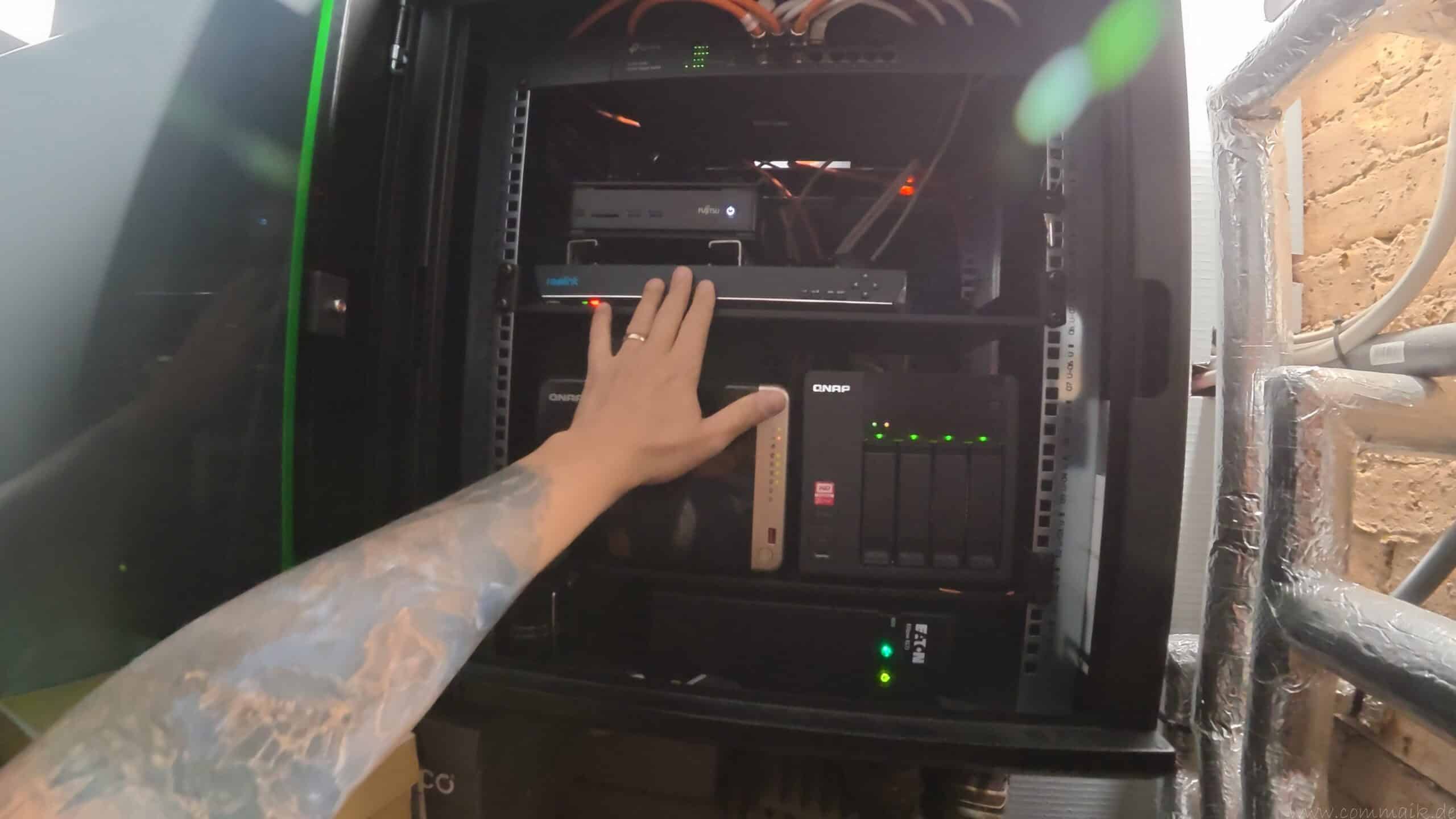
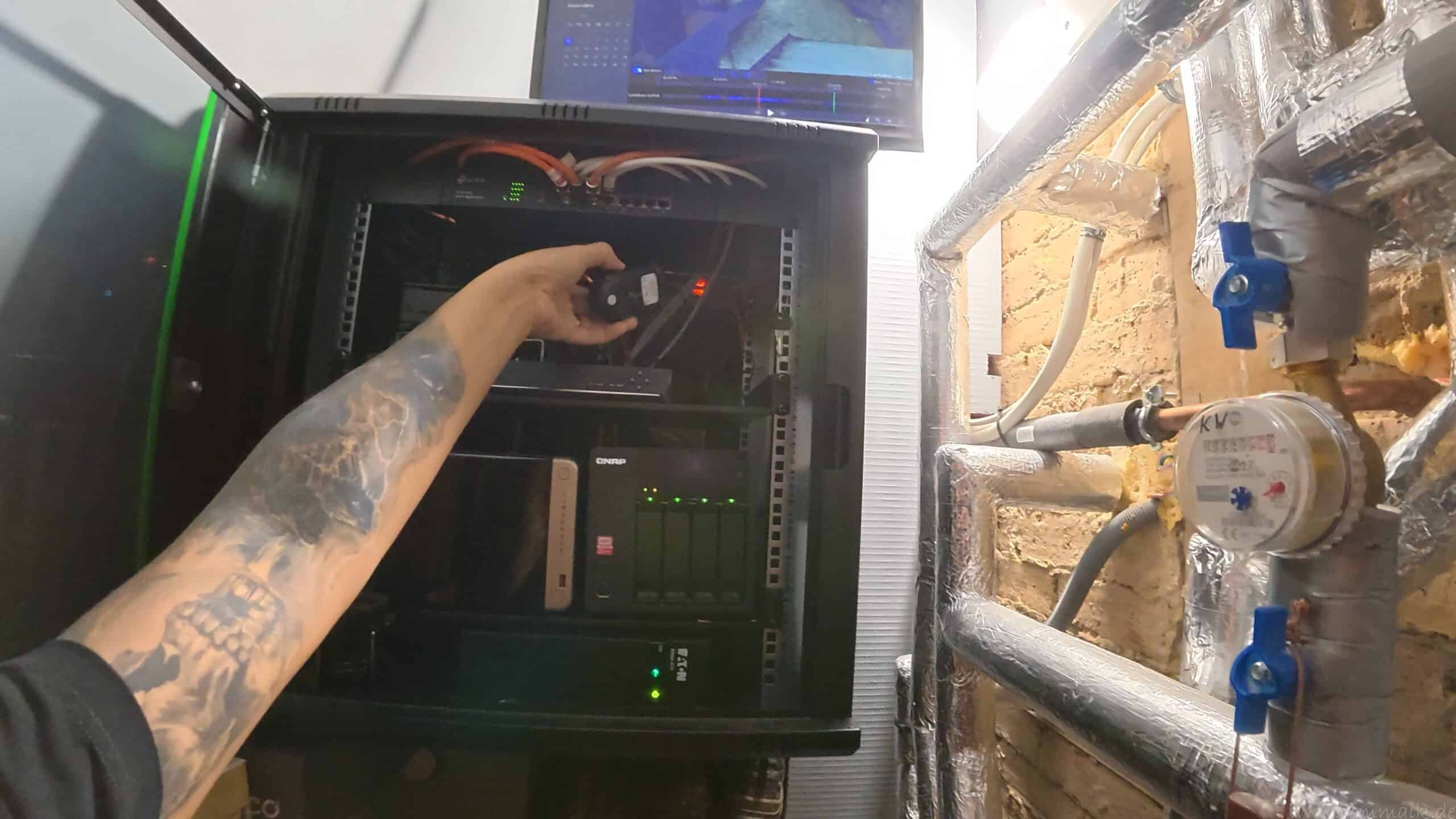
A modular structure makes it possible to expand the system step by step. Additional cameras, more storage or further network components can be integrated without any problems. In larger installations or technically structured households, the use of a server rack is recommended. The router, switch, NVR and other devices can be housed centrally, which ensures order, better cooling and lower operating noise.
Classification in everyday life
The principle of an IP camera system is no different from other applications in the home network. A smart TV retrieves video data from the network, a smartphone sends and receives data via WLAN and a PC accesses central services. Video surveillance fits seamlessly into this infrastructure and uses the same basic network mechanisms.



IP cameras in the network – understanding the basics
What is an IP camera?
An IP camera is a digital video camera that can send its video recordings via the Internet Protocol within a network. In contrast to analog systems, such a network camera is completely IP-based and behaves technically like any other network device in the household.
Each camera receives a unique IP address from the router, which is used to retrieve, control and – depending on the system – also record the video stream. Communication takes place entirely via the existing network, either wired or wireless. In technical terms, an IP camera is hardly any different from other IP devices such as smart TVs, tablets or PCs, which are also permanently integrated into the home network.
IP surveillance cameras as part of the network
In a typical private network, the router forms the central interface. It connects the home network to the Internet, assigns IP addresses and controls data traffic. In addition, switches are often used to connect several devices via cable and thus expand the network. Within this structure, IP cameras are normal network devices that are permanently connected and continuously transmit data.
All IP cameras work within the same network. The router assigns the IP addresses, the switch distributes the connections and the camera transmits the video stream in real time to an end device, a recorder or a central system for recording. For reliable monitoring, it is crucial that the network connection remains stable and that sufficient bandwidth is available, especially with higher resolutions or multiple cameras at the same time.
The advantage of this approach lies in its scalability: network cameras can be flexibly integrated into existing home networks, expanded and centrally managed. At the same time, the video recordings can be stored locally or retrieved via the network as required, without the need for a direct connection to each individual camera.
Classification and differentiation from alternative systems
In addition to the classic IP camera, there are also alternative systems for video surveillance. These include, for example, analog cameras with coaxial cabling, wireless cameras with proprietary transmission standards or completely cloud-based solutions. These systems usually work independently of the existing home network or only use limited network functions.
In comparison, IP-based video surveillance offers the advantage of a standardized infrastructure. IP cameras use the existing network, can be managed centrally and can be flexibly expanded depending on the camera and its intended use. This makes it easier to integrate the surveillance camera into the overall context of the existing technology and to expand it in the long term.
How video surveillance with network cameras works
The functionality of video surveillance with IP cameras is clearly structured in principle, but involves some technical correlations in detail. The camera captures the image via its sensor, processes the raw data internally and sends the generated video stream to a receiver via the network. This receiver can be a network video recorder (NVR), a home hub, a PC or an app via which the video recordings are retrieved or recorded in real time.
Depending on the camera and configuration, recording is either permanent or event-based. With event-based recording, the stream is only saved if motion detection is triggered or a defined alarm is triggered. This operating mode reduces the amount of data and saves storage space, but is heavily dependent on the quality of the motion detection.
Data rate and network load using the example of a 4K surveillance camera
A 4K surveillance camera is a good example to illustrate the load on the network. A typical 4K camera works with a data rate of around 10,240 kbit/s (approx. 1.25 MB per second). This data rate describes the continuous amount of data that the camera feeds into the home network per second as soon as the video stream is active.
If the stream is recorded permanently, there is a constant network load. With several cameras, this data rate adds up accordingly. Four simultaneously active 4K IP cameras can therefore generate a total load of over 40 Mbit/s (approx. 5 MB per second). This data must be processed by the network, distributed and – depending on the structure – also forwarded to a storage system.
Bandwidth, bottlenecks and stable transmission
Sufficient bandwidth in the home network is crucial for reliable video surveillance. Bottlenecks occur above all when several cameras generate high data rates at the same time or the network is additionally burdened by other devices. WLAN connections are particularly critical, as the available bandwidth can fluctuate here.
Wired connections via Ethernet generally provide stable transmission rates. Nevertheless, it should also be taken into account here that switches, routers and network storage devices can process the data volumes generated. Too little bandwidth can lead to delays, picture dropouts or reduced picture quality.
Factors influencing image quality
The quality of the recorded images depends on several technical factors:
- Megapixels and effective pixels of the sensor
- Quality of internal image processing
- Ambient conditions such as lighting and night vision
- Available bandwidth in the home network
- Selected compression and bit rate
The actual data rate may vary depending on the camera. A high resolution alone does not guarantee clear images if the network cannot transmit the data stably or the lighting conditions are unfavorable.
Classification for practical use
To set up a reliable surveillance camera solution, it therefore makes sense to consider not only the camera itself, but also the network. The combination of resolution, data rate and available bandwidth largely determines how reliably a system works in everyday use. The network infrastructure should be included in the planning at an early stage, especially if there are several IP cameras.


Installing an IP camera – PoE, WLAN or battery?
There are basically three technical approaches available when installing an IP camera: wired via PoE, wireless via WLAN or completely battery-based. Each variant uses different transmission and supply mechanisms and has specific advantages and disadvantages that should be taken into account depending on the area of application.
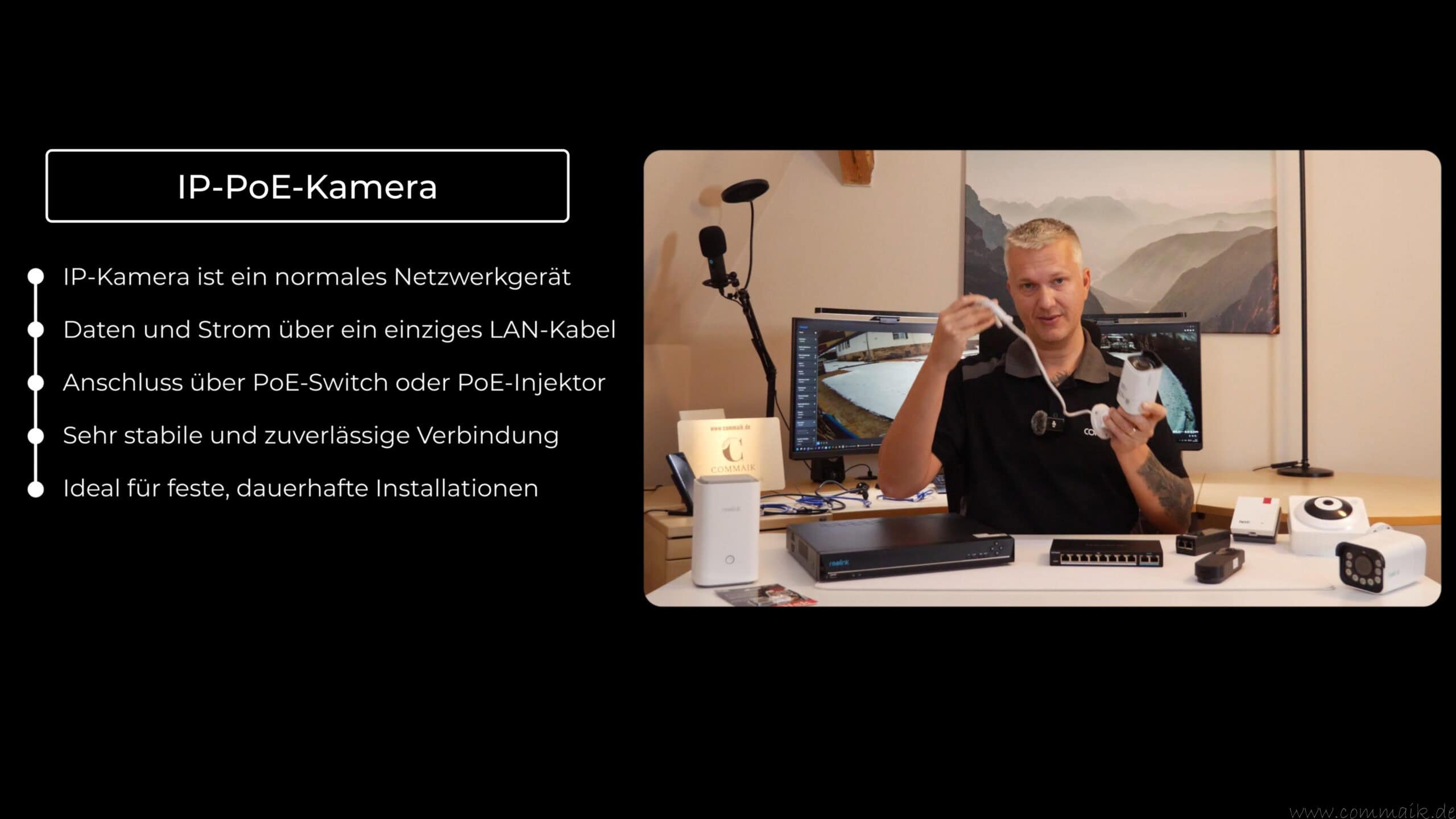
PoE camera (Power over Ethernet)
A PoE camera is simultaneously supplied with power and network data via Power over Ethernet. This is based on the IEEE standards 802.3af and 802.3at, which enable power to be supplied via the Ethernet cable. The camera is connected either to a PoE switch or a PoE injector, which is used for both data transmission and power supply.
Communication is completely wired via the network. This means that constant data rates are available, which is particularly relevant for high-resolution cameras with a permanent video stream and continuous recording. This technology is therefore particularly suitable for fixed installations in buildings or outdoors.
Advantages:
- Very stable and interference-free connection
- Power and data via a single cable
- High reliability in continuous operation
- Ideal for multiple cameras and larger systems
- Independent of radio connections
Disadvantages:
- Laying of network cables required
- Higher installation costs for existing buildings
- PoE power budget of the switch must be planned for
IP WLAN camera
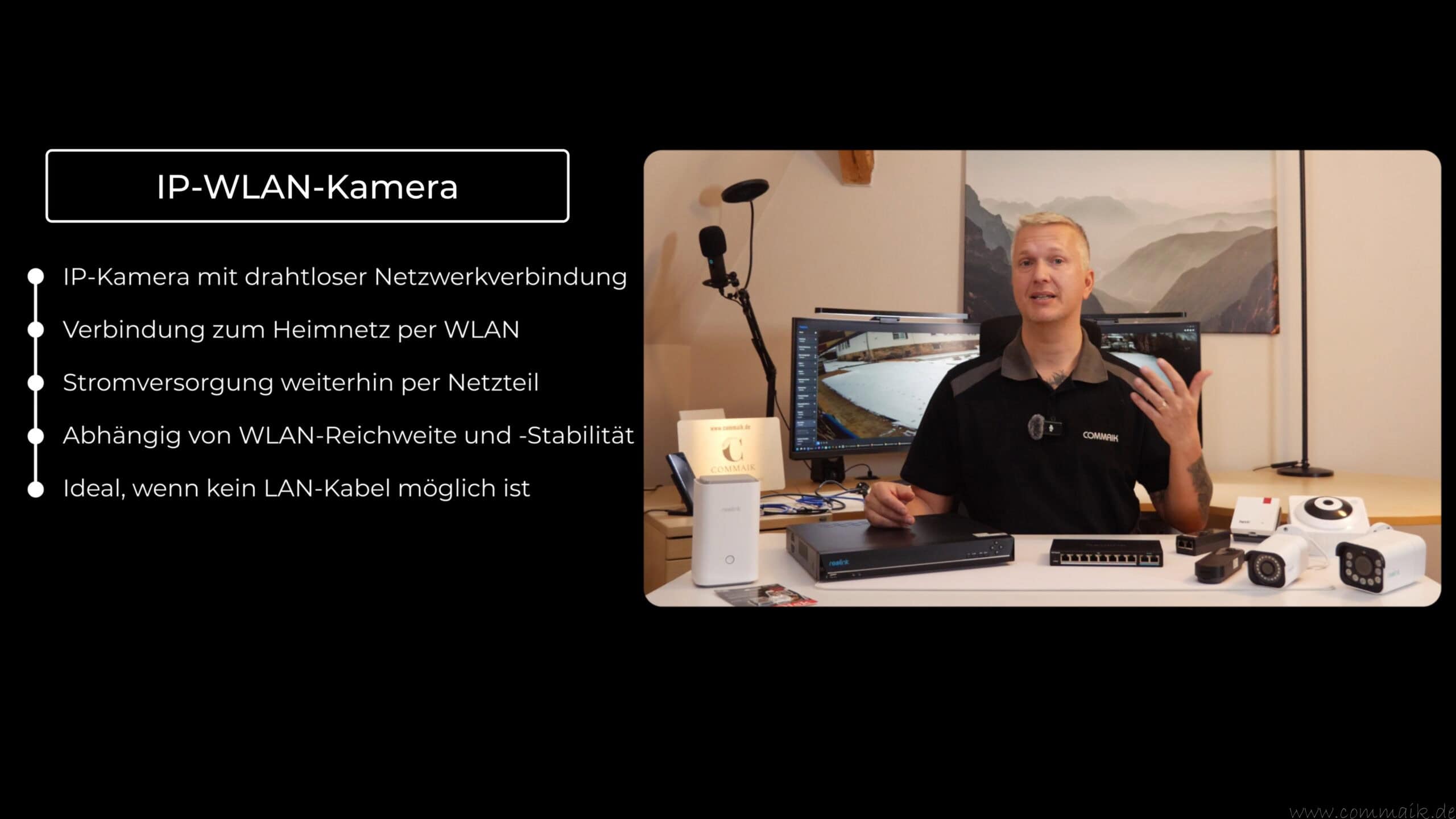
An IP WLAN camera transmits its video stream wirelessly via the WLAN in the home network. Power is usually supplied via a separate power supply unit. Technically, the camera remains a fully-fledged IP device with its own IP address and direct integration into the network.
The absence of a network cable considerably simplifies installation and enables flexible positioning. At the same time, this technology is heavily dependent on the stability and range of the WLAN. With several cameras or high resolutions, the available bandwidth can quickly become a limiting factor.
Advantages:
- Less installation effort
- Flexible placement in the WLAN area
- No network cables necessary
Disadvantages:
- depending on WLAN stability and radio environment
- Interference from walls or other radio networks possible
- Limited bandwidth for multiple streams
- Additional power supply required
IP battery-powered camera
A rechargeable IP camera works completely wirelessly and is powered by an integrated battery. The network connection is usually via WLAN, but energy consumption is greatly reduced by only activating the camera when defined events occur. A permanent video stream is not usually provided with these models.
Event-based recording, standby modes and, in some cases, additional solar panels are used to extend the runtime. This technology is particularly suitable for temporary installations or areas without a fixed power supply, but has technical limitations.
Advantages:
- No fixed power or network cabling
- Very flexible and quick installation
- Suitable for areas that are difficult to access
Disadvantages:
- Limited recording and response time
- No continuous operation possible
- Dependence on battery capacity and charging cycles
- Delays when starting the video stream
Comparison: PoE camera vs. WLAN camera vs. battery-powered camera
| Feature | PoE camera | WLAN camera | Battery-powered camera |
|---|---|---|---|
| Network connection | Wired (Ethernet) | Wireless (WLAN) | Wireless (WLAN) |
| Power supply | Via LAN cable (PoE) | Power supply unit | Rechargeable battery / Battery |
| Installation effort | High (cable routing) | Medium | Very low |
| Stability of the connection | Very high | Depending on the WLAN | Depending on the WLAN |
| Continuous operation possible | Yes | Yes | No |
| Recording type | Permanent or event-based | Permanent or event-based | Mostly event-based |
| Response time | Immediately | Immediately | Delayed |
| Suitable for outdoor use | Very good | Good (depending on model) | Good (depending on model) |
| Picture quality | Very high | High | Medium to high |
| Maintenance effort | Low | Low | High (charging / battery change) |
| Flexibility during assembly | Restricted | Good | Very high |
| Typical application | Fixed monitoring | Indoor spaces, short distances | Remote areas |
| Recommendation | Permanent security | Flexible installation | Temporary monitoring |
Classification for private use
For private users, PoE cameras offer the highest reliability and are ideal for permanently monitored areas such as entrances or properties. WLAN cameras are well suited for indoor areas or places where network cables cannot be laid. Battery-powered cameras are particularly useful when neither power nor a network is available, but they do have technical limitations.
The choice of suitable camera technology depends heavily on the intended use. PoE cameras offer maximum stability and are suitable for permanently monitored areas with high image quality. WLAN cameras represent a compromise between flexibility and installation effort, while battery-powered cameras are particularly useful where there is no fixed infrastructure.
For a reliable and long-term stable surveillance system, it is advisable to always consider the camera technology in conjunction with the existing network, the desired recording and the local conditions.
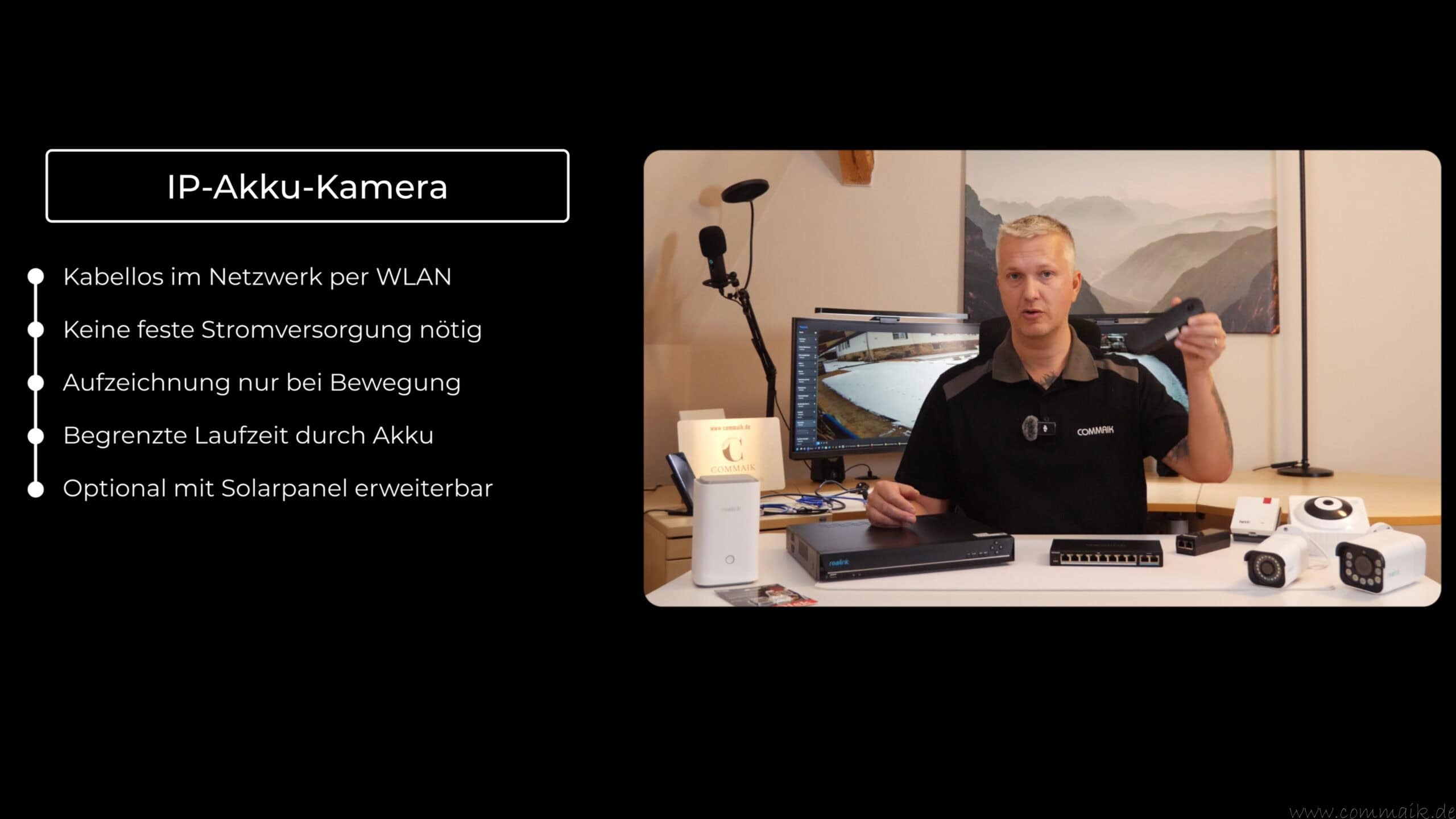
Video: IP camera network in the home network – setup & practice
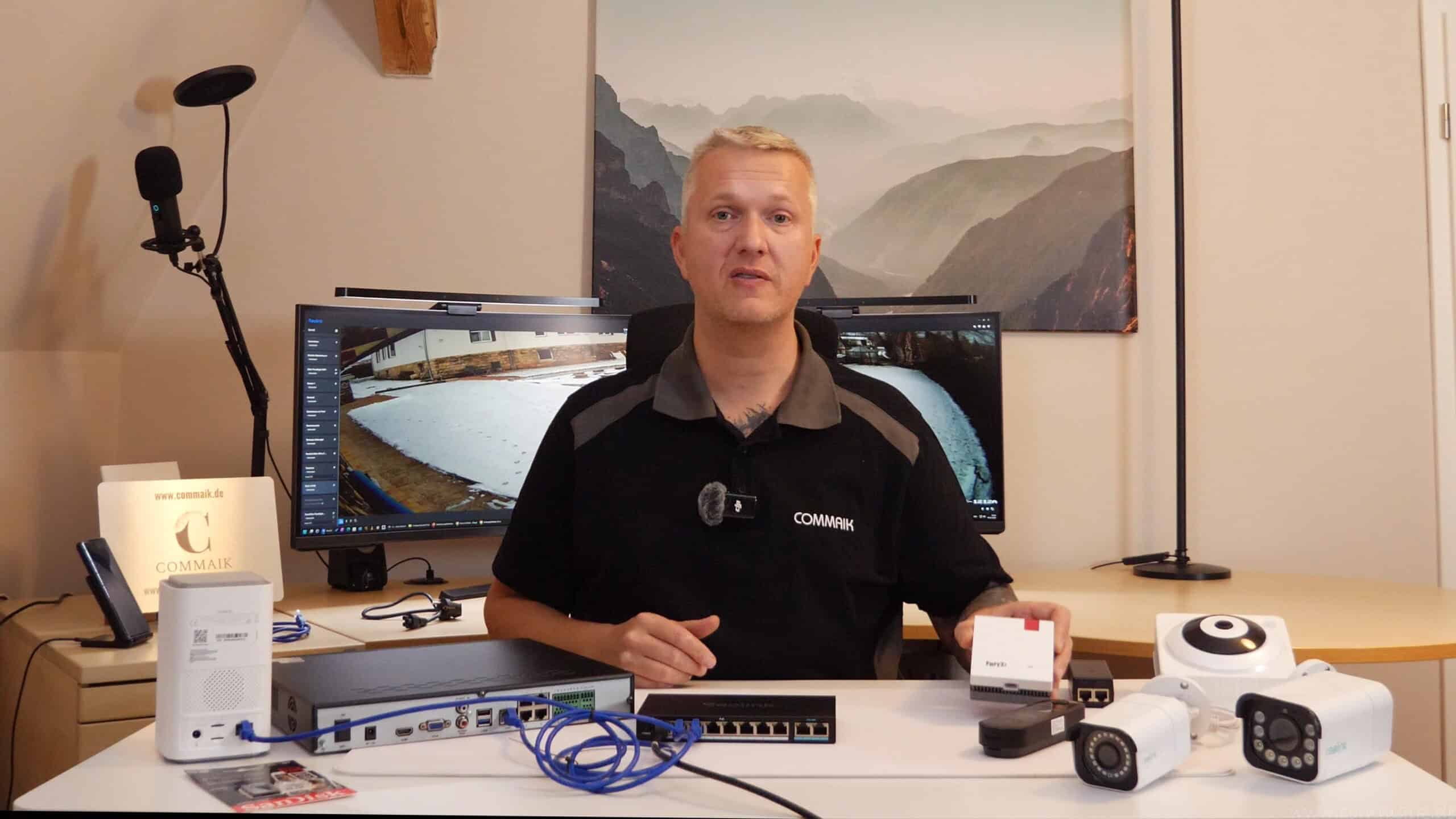
In this video, I show the practical setup of an IP camera network in the home network using my own system. I explain step by step how PoE, WLAN and battery-powered cameras are integrated into a shared network, what role the router, switch, PoE switch, PoE injector and repeater play and how recording is implemented via NVR or home hub.
In addition to the technical basics, the main focus is on practical aspects: cabling in the server rack, sensible network structure, typical errors during setup and measures for more security and failure protection. The video supplements the blog post with real examples and shows how a stable, clear and expandable monitoring system can be implemented.
You can find more projects relating to surveillance cameras and smart homes in my Youtube playlist Smarthome and in my blog category Smart Home.
If you want to see more of me and my projects, feel free to check out my YouTube channel.
Zuletzt aktualisiert am 9. April 2026 um 03:30 . Ich weise darauf hin, dass sich hier angezeigte Preise inzwischen geändert haben können. Alle Angaben ohne Gewähr. (*) Bei den verwendeten Produktlinks handelt es sich um Affiliate Links. Ich bin nicht der Verkäufer des Produktes. Als Amazon-Partner verdiene ich an qualifizierten Verkäufen. Dein Preis ändert sich jedoch nicht.


Storage solutions: SD card, NVR or Home Hub
Several storage solutions are available for recording video footage with IP cameras. The choice of storage concept not only influences the available storage space, but also aspects such as redundancy, data security, scalability and protection against data loss or theft.
Micro SD card in the camera
With this solution, each camera stores its video recordings directly on an integrated micro SD card. Recording takes place locally in the camera and is independent of other systems. This variant is often used for smaller setups or single cameras.
Advantages:
- Simple and cost-effective solution
- No additional hardware required
- Recording also possible in the event of network problems
- Fast commissioning
Disadvantages:
- limited storage space
- No central administration
- No redundancy in the event of a card defect
- Data loss in the event of theft or damage to the camera
- Limited scalability with multiple cameras
NVR (Network Video Recorder)
An NVR acts as a central storage system for several network cameras. The cameras transmit their video streams via the network to the recorder, which takes over the recording. Depending on the model, several hard disks can be used to increase capacity and reliability.
Advantages:
- Central management of all cameras
- Significantly larger storage space
- Good scalability for growing systems
- Option of redundancy through multiple hard disks
- Increased security in the event of theft of individual cameras
Disadvantages:
- Additional hardware costs
- Higher space and energy requirements
- Setup more complex than with SD cards
- Central device as a possible point of failure
Home Hub, Home Hub Pro or NAS with local storage
A home hub or NAS combines central storage with advanced management functions. In addition to pure recording, such systems often offer user management, remote access and additional security mechanisms. In many cases, the memory can be flexibly expanded.
Advantages:
- Central storage and management
- Flexibly expandable storage space
- Increased security against data loss
- Access via app and client possible
- Good integration into the home network
Disadvantages:
- higher acquisition costs
- Greater dependence on network operation
- Setup more complex than with individual cameras
- Data security depends on configuration and maintenance


Multi-level storage strategy in practice
In practice, a multi-level storage strategy is often the best option. Local SD cards serve as basic backup, while an NVR or Home Hub or Home Hub Pro takes over the central recording. This combination increases redundancy and ensures that video recordings are retained even if individual components fail or are manipulated.
By separating the camera and memory, data can be better protected against unauthorized access. A centrally positioned recorder significantly increases security against data loss, especially for outdoor cameras.
Many manufacturers also offer a cloud. I prefer to use local storage to keep control of my surveillance camera. Secure passwords, up-to-date firmware and a clean network configuration are important to prevent unauthorized access.
Comparison: Storage solutions for IP cameras
| Feature | Micro SD card | NVR (Network Video Recorder) | Home Hub / NAS |
|---|---|---|---|
| Storage location | Directly in the camera | Central device in the network | Central device in the network |
| Storage space | Very limited | High, expandable | High, flexibly expandable |
| Central administration | No | Yes | Yes |
| Redundancy possible | No | Partial (several hard disks) | Yes (depending on the system) |
| Protection against camera theft | Very low | High | High |
| Protection against data loss | Low | Medium to high | High |
| Scalability | Bad | Good | Very good |
| Network dependency | Low | Medium | High |
| Setup effort | Very low | Medium | Medium to high |
| Typical application | Single cameras | Multiple fixed cameras | Larger or growing systems |
| Recommendation | Basic insurance | Central video surveillance | Convenience & data security |
Brief classification
Micro SD cards are suitable as a simple basic solution or as additional protection directly in the camera.
An NVR offers centralized, clear recording and is the most practical solution for most private surveillance systems.
Home hubs or NAS systems show their strengths above all with high scalability, extended security functions and larger storage requirements.


IP camera network setup in practice
A modern IP camera system does not consist of a single technology, but of a combination of several components. PoE cameras, WLAN cameras and battery-powered cameras can be operated in parallel within the same network as long as routers, switches and wireless coverage are planned sensibly. The decisive factor is not the type of camera, but its proper integration into the existing network.
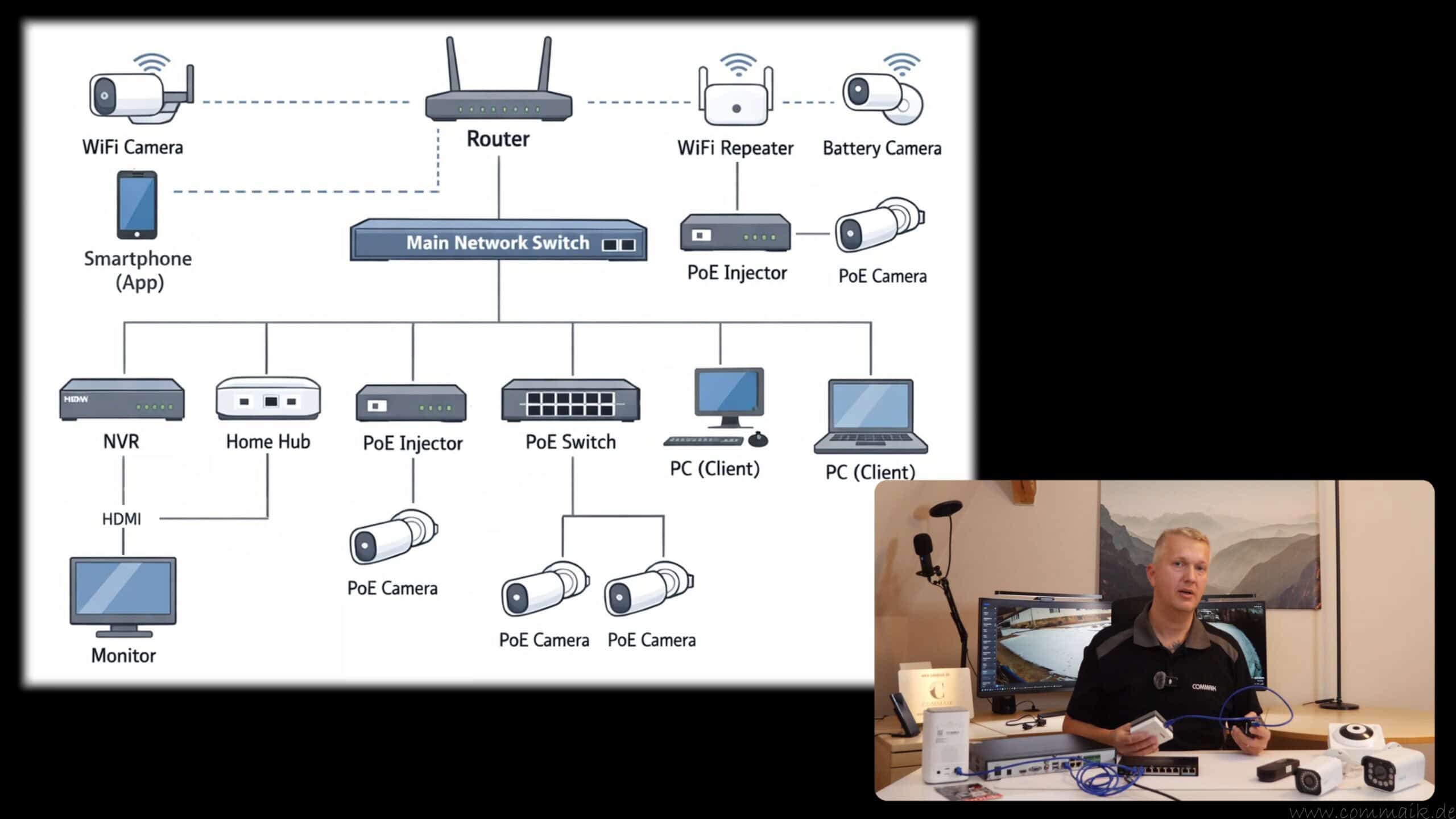
The router is always at the center. From there, the system branches out via wired and wireless connections to cameras, storage systems and end devices. Each connection follows a clear, logical principle.
PoE network: wired base for fixed cameras
PoE is the most stable solution for permanently installed cameras. Using Power over Ethernet, data and power are transmitted together via a single LAN cable. In practical terms, this means
One end of the network cable is plugged into a free port of the PoE switch or PoE injector, the other end directly into the network connection of the camera. No additional cables or power supply units are required.
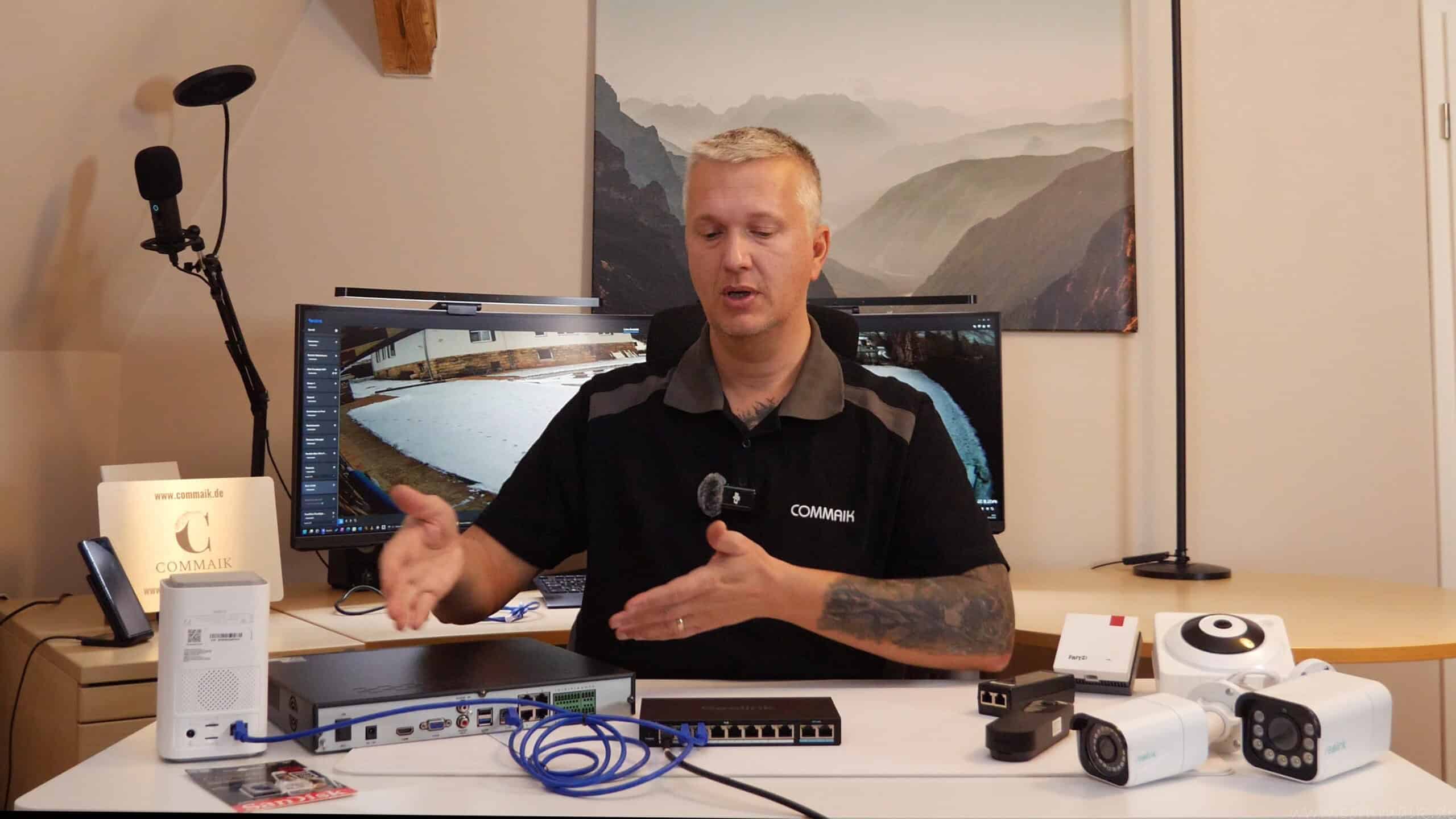
A typical setup starts at the main switch in the network. This main switch is connected to the router via LAN cable. Additional network cables lead from the main switch to PoE switches, PoE injectors or directly to other devices such as NVRs or home hubs.
A PoE switch supplies several cameras simultaneously. Each camera has its own LAN cable, which is routed directly from the PoE switch to the camera.
A PoE injector is used if only a single camera is to be supplied with power. In this case, a LAN cable is plugged from the switch into the input of the injector. A second LAN cable leads from the output of the injector directly to the camera. It is important that the injector is always positioned between the switch and the camera and never between two switches.
The following applies to the cable length: The theoretical Ethernet standard allows up to 100 meters. In practice, PoE distances should remain at 70 to 80 meters if possible. For longer distances, an additional switch can be connected in between. Several switches in a row are technically permitted as long as all devices are properly connected and the overall structure remains clear.
Practical example: Central distribution in the server rack
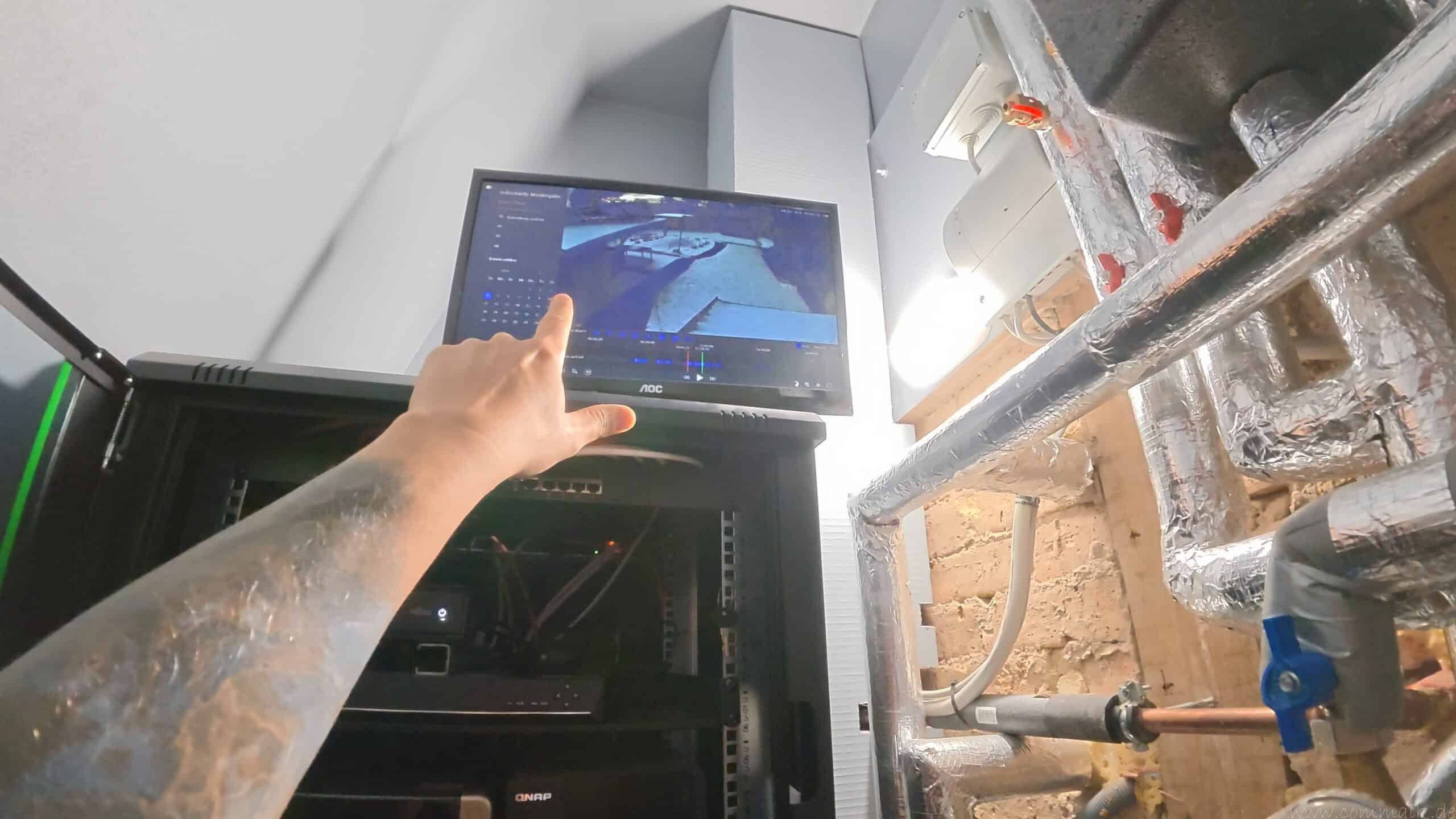
In a structured setup, the router, main switch, NVR and other network devices are located centrally in the server rack. The router is only connected to the main switch with a single LAN cable. All other devices are connected directly or indirectly to this main switch.
LAN cables lead from the main switch:
- to the NVR
- to the Home Hub
- to other switches in other parts of the building
- to PoE switches or PoE injectors
The cameras themselves are never connected directly to the router, but always to a switch or injector. Recording takes place locally on NVR or Home Hub. The router configuration is sufficient for live views or remote access. Thanks to the central placement in the server cabinet, all devices can be connected to a UPS and operating noises remain outside the living rooms.

WLAN network: using wireless connections correctly
WLAN cameras connect wirelessly to the router or an access point. In terms of installation, this means that the camera is switched on, connected to the Wi-Fi via the app or web interface and automatically receives its IP address. Power is supplied separately via a power supply unit.
Placement is crucial to ensure that the WLAN remains stable. Thick walls, ceilings or large distances weaken the signal. This is where repeaters and access points come into play.
A classic repeater connects to the router via radio and extends the range. This solution is simple, but often halves the available bandwidth.
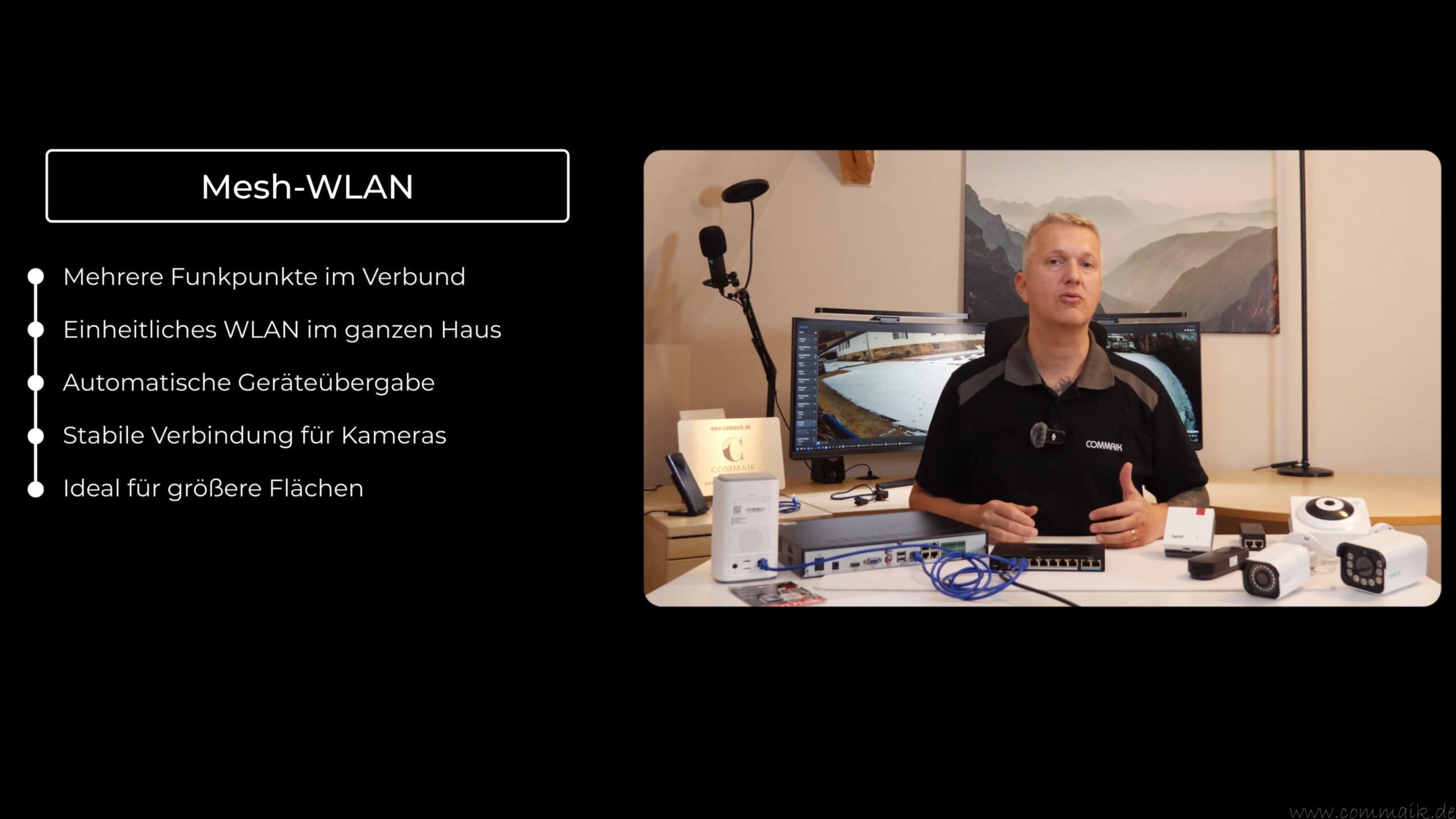
A bridge solution is more stable: the repeater or access point is connected to the switch via LAN cable. Before the bridge, the connection is wired; after the bridge, a new, strong WLAN is broadcast. Cameras then connect wirelessly to this access point, but benefit from the stable cable connection in the background.
Such cable-connected repeaters or mesh nodes are ideal for larger areas or several WLAN cameras at one location.
Battery-powered cameras: Integrate the wireless network properly
Battery-powered cameras also connect to the network via WLAN. The difference lies in energy management. The camera is in idle mode and is only activated when there is movement or an event. For the setup, this means that stable WLAN coverage is particularly important, as frequent disconnections drain the battery more quickly.
Battery-powered cameras should be operated as close as possible to an access point or repeater. Continuous streams or high data rates are not intended here. Nevertheless, integration into the network follows the same principle as with WLAN cameras.




- Ultraschnelles Wi-Fi 6 im gesamten Heimnetz sowie intelligente automatische Bandauswahl (Cross-Band-Repeating): 5 GHz-Band (bis zu 2.400 MBit/s) und 2,4 GHz-Band (bis zu 600 MBit/s)
- Innovatives Wi-Fi 6 ausgelegt für ein anspruchsvolles Heimnetz mit einer Vielzahl an WLAN-Endgeräten zur gleichzeitigen Verwendung
- Unterstützung 160 MHz breiter Kanäle für WLAN mit bis zu 3.000 MBit/s (WLAN AX) sowie Gigabit-LAN-Anschluss für den Aufbau einer LAN-Brücke oder für Netzwerkgeräte ohne WLAN-Funktion
- WLAN Mesh: Mehrere WLAN-Zugangspunkte werden zu einem einzigen intelligenten WLAN-Netz mit optimaler Leistung zusammengefasst, einfache und sichere Installation per Tastendruck (WPS)
- Lieferumfang: FRITZ!Repeater 1200 AX, Installationsanleitung, LAN-Kabel, Schutzkontakt-Adapter
Safety and reliability during operation
A UPS protects the router, switch and NVR from power failures. Redundant storage via SD card in the camera and parallel recording on NVR or Home Hub or Home Hub Pro reduces the risk of data loss in the event of theft or defect.
It is also important to change passwords, keep firmware up to date and only set Internet shares selectively.
With many NVR systems, the first registration of a camera is only possible locally. In this case, a monitor is required directly on the NVR. Anyone who frequently adds or tests cameras should take this point into account when planning.
Practical checklist for assembly
- Specify camera type (PoE, WLAN or battery) and select suitable storage strategy
- Prepare the network: Connect the router to the main switch
- Provide a PoE switch or PoE injector and integrate it correctly into the network
- Install NVR and/or Home Hub and connect to a UPS
- Mounting and aligning cameras
- Plug in LAN cable or set up WLAN connections
- Optionally insert SD card in the camera
- Register cameras in the NVR or Home Hub (with local monitor if required)
- Check security settings and change passwords
- Updating the firmware of cameras and network devices
- Test live view and retrieve video stream (locally and via the Internet connection)
- Configure recording, overwriting (loop) and retention period
Further instructions and practical reports
The following article describes the complete installation of a Reolink RLN36 NVR including hard disk installation and initial configuration of the cameras:
https://commaik.de/2023/08/reolink-rln36-nvr-installieren-festplatte-einbauen-und-kamera-einrichten/
The Home Hub article shows how to set up a central monitoring center with local storage and app access:
https://commaik.de/2024/08/reolink-home-hub-zentraler-speicher-ueberwachungszentrale/
A step-by-step guide to setting up individual Reolink cameras can be found here:
https://commaik.de/2023/11/reolink-kamera-einrichten/

- Zertifizierte Sicherheit: Unser Cat 7 Verlegekabel ist GHMT-zertifiziert und erfüllt die CPR-Brandschutzklasse Cca s1a d1 a1 gemäß EN 50575:2014 – für höchste Sicherheit in gewerblichen und privaten Installationen.
- Halogenfreier Außenmantel: Der robuste LSZH-Mantel mit 7,2 mm Durchmesser bietet zusätzlichen Brandschutz und reduziert Rauchentwicklung – ideal für Installationen in öffentlichen Gebäuden.
- Hohe Datenrate & Frequenz: Unterstützt Übertragungsgeschwindigkeiten bis zu 10 Gbit/s bei 1000 MHz – perfekt für zukunftssichere Highspeed-Netzwerke in Neubauten und modernen IT-Infrastrukturen.
- Erstklassige Materialien: Reiner Kupferleiter mit 0,56 mm (AWG23) Durchmesser und doppelte S/FTP-Abschirmung sorgen für störungsfreie Signalübertragung und maximale Leistung.
- Vielseitige Verlegbarkeit: Das Kabel eignet sich ideal für die Verlegung in Wänden, Böden und Kabelkanälen – flexibel und zuverlässig bei Temperaturen von -20 °C bis +60 °C einsetzbar.
Summary
A modern IP camera system for video surveillance is based on a clearly structured network architecture. IP cameras are fully-fledged network devices that can be seamlessly integrated into the existing home network and are assigned a unique IP address via the router. Video streams are transmitted, retrieved and – depending on the configuration – recorded via this address.
Central components such as a switch, PoE switch or PoE injector distribute the network connections and, in the case of PoE cameras, also provide the power supply via the network cable. WLAN and battery-powered cameras supplement the system where cabling is not possible, but require stable wireless coverage. Repeaters, access points or mesh systems also help to reliably integrate larger areas into the network.
Various options are available for storage: local SD cards, a central NVR, a home hub or a NAS. Central storage systems offer more storage space, better scalability and increased security against data loss, especially in the event of theft or manipulation of individual cameras. A multi-level storage strategy combines local and centralized recording and provides additional redundancy.
The modular structure allows the system to be expanded step by step. More cameras, additional storage or further network devices can be easily integrated. In structured installations, a server cabinet ensures order, better cooling and quiet operation, while a UPS increases reliability.
In practice, an IP camera system hardly differs technically from other applications in the home network. Like smart TV, smartphone or PC, the IP camera also uses the same network mechanisms. Clean cabling, sufficient bandwidth, stable WLAN coverage and regular maintenance through firmware updates and secure access data are crucial for a reliable and secure system.

- Erweitern Sie Ihr Netzwerk: 5 Gigabit RJ45 LAN ports. 4 PoE+ Ports, übertragen Daten und Strom über ein einziges Kabel
- IEEE 802.3 af/at. PoE-Leistung bis zu 30 W für jeden PoE-Port, 65 W für alle PoE-Ports, ideal für IP-Kameras, IP-Telefone und Access Points
- Unterstützt 802.1p/DSCP QoS und IGMP Snooping-Funktionen, ideal für Familienfernsehen. Mehrere Montagemöglichkeiten: unterstützt die Desktop- und Wandmontage
- Plug-and-Play, keine Konfiguration erforderlich
- Lange Lebensdauer: jeder TP-LINK-Switch hat viele Zuverlässigkeitstests bestanden und ist durch ein hochwertiges Metallgehäuse geschützt. TP-LINK provide lifetime warranty
- Lieferumfang: TL-SG1005P, schnellinstallationsanleitung, netzteiladapter
- Erweitern Sie Ihr Netzwerk: 5 Gigabit-RJ45-LAN-Ports, 4 PoE+-Ports
- IEEE 802.3 af/at PoE: Übertragen Sie Daten und Strom über ein einziges Kabel. Leistung bis zu 30 W für jeden PoE-Port, 65 W für alle PoE-Ports, ideal für IP-Kameras, IP-Telefone und Zugangspunkte
- Unterstützt 802.1p/DSCP QoS- und IGMP-Snooping-Funktionen, die insbesondere für Anwendungen wie IPTV ein besseres Netzwerkerlebnis gewährleisten
- Mehrere Montagemöglichkeiten: Tisch- oder Wandmontage
Frequently asked questions (FAQ) about IP cameras and video surveillance in the home network
1. what is the difference between an IP camera and a normal surveillance camera?
An IP camera is a network device that transmits video recordings via the Internet Protocol. Unlike analog cameras, it uses the existing home network and can be centrally managed, recorded and accessed remotely.
2. can PoE, WLAN and battery-powered cameras be combined in one network?
PoE, WLAN and battery-powered cameras can be operated in parallel in the same network. A clean structure with a router, switch and sufficient WLAN coverage is crucial. The camera type only influences the type of connection, not the basic principle.
3. do I necessarily need an NVR for my IP cameras?
An NVR is not absolutely necessary, but offers the advantages of centralized recording, larger storage space and better data security. Alternatively, SD cards in the camera or a home hub can be used. In practice, a combination often makes sense.
4. how much bandwidth do IP cameras need in the home network?
The bandwidth requirement depends on the resolution, frame rate and compression. A 4K IP camera typically generates around 10 Mbps. With several cameras, the load adds up accordingly, which is why the router, switch and WLAN should be sufficiently dimensioned.
5 Is WLAN reliable enough for video surveillance?
WLAN is sufficient for individual cameras and good radio conditions. With several cameras, high resolutions or greater distances, a wired connection or an access point connected via LAN is much more stable.
6. how secure are IP cameras in the home network?
Security depends on the configuration. Secure passwords, up-to-date firmware, restricted Internet sharing and local storage are key measures. When properly integrated, IP cameras are no less secure than other network devices.
7 What happens in the event of a power cut or internet failure?
In the event of a power failure, cameras will only continue to work if the router, switch and NVR are connected to a UPS. In the event of an Internet failure, recording can continue locally as long as power and the internal network are available.
8. what is the maximum length of a PoE cable?
The Ethernet standard allows up to 100 meters. In practice, 70 to 80 meters are recommended to avoid voltage losses. For longer distances, an additional switch or a PoE injector closer to the camera can help.
9. can IP cameras also be used without the cloud?
Many systems can be operated completely locally. Recording then takes place on an SD card, NVR or Home Hub. A cloud is optional and not absolutely necessary.
10. do I have to connect a monitor to the NVR for each new camera?
That depends on the manufacturer. Some NVR systems require the initial registration of new cameras locally via a monitor or directly on the device. After that, management is usually possible via app or client.

- Aus Auto-Sensing – Das Gerät hat keine Auto-Sensing-Funktion und versorgt Netzwerkgeräte direkt mit Strom, sobald Sie sie anschließen. Das aktivierte Gerät oder der PoE-Splitter muss IEEE 802.3af/at-konform sein. Gleichzeitig muss Ihr eingeschaltetes Gerät Poe-Pin 4/5(+), 7/8(-) Midspan unterstützen.
- LAN-Port – 8 RJ45-Ports (Dateneingang), 8 RJ45-PoE-Ports (Daten und Strom). Verbinden Sie IEEE 802.3af/ für Standard-PoE-Geräte wie und IP-Kameras anderer Marken oder Sie haben einen IEEE 802.3af/802.3at/ Standard-PoE-Splitter für Nicht-POE-Geräte.
- Anwendung -- Dieser nicht standardmäßige passive PoE-Injektor ist ein einfaches und praktisches Gerät für PoE- oder Nicht-PoE-Geräte über ein Ethernet-Kabel. Für PC / Hub / Switch / Router etc.
- Hinweise -- Bitte wählen Sie entsprechend dem Stromverbrauch Ihres Geräts aus. Um einen stabilen Betrieb zu gewährleisten, sollte der Gesamtverbrauch geringer sein als die Gesamtstromversorgung. (Tipp: Die Versorgungsspannung sollte DC48V nicht überschreiten.)
- – Aus Kunststoff, stark und langlebig. Erfüllt internationale Sicherheitsstandards und ist sicher in der Anwendung. Wenn Sie Fragen zum Produkt haben oder nicht zufrieden sind, kontaktieren Sie uns bitte jederzeit, wir werden Ihnen die beste Lösung anbieten. Ihre Zufriedenheit ist unser Hauptanliegen.
Dieser Beitrag ist auch verfügbar auf:
 English
  Deutsch


Ähnliche Beiträge

Draining the basement with a new horizontal barrier – conclusion after 9 months
Hardy palms for the garden – these 5 species can withstand frost down to -15 °C